Windows 11 takes a significant step forward in UI improvements while managing to include major boosts to the Operating System’s performance. However, critics saw Windows 11 as simply an improved version of Windows 10X that definitely does not deserve a new name. Additionally, Microsoft’s promise that Windows 10 would be the last Windows Operating System worried fans about whether Windows 11 would be a free upgrade. After Microsoft announced the newest version of Windows to be a free upgrade from Windows 10, critics focused on the large barrier preventing users from upgrading to Windows 11, the lofty system requirements that come with upgrading. Although I believe that criticism like this is warranted, Windows 11 will come with marginal if not significant improvements for most users, while drastically improving performance for gamers and those with rendering workloads.
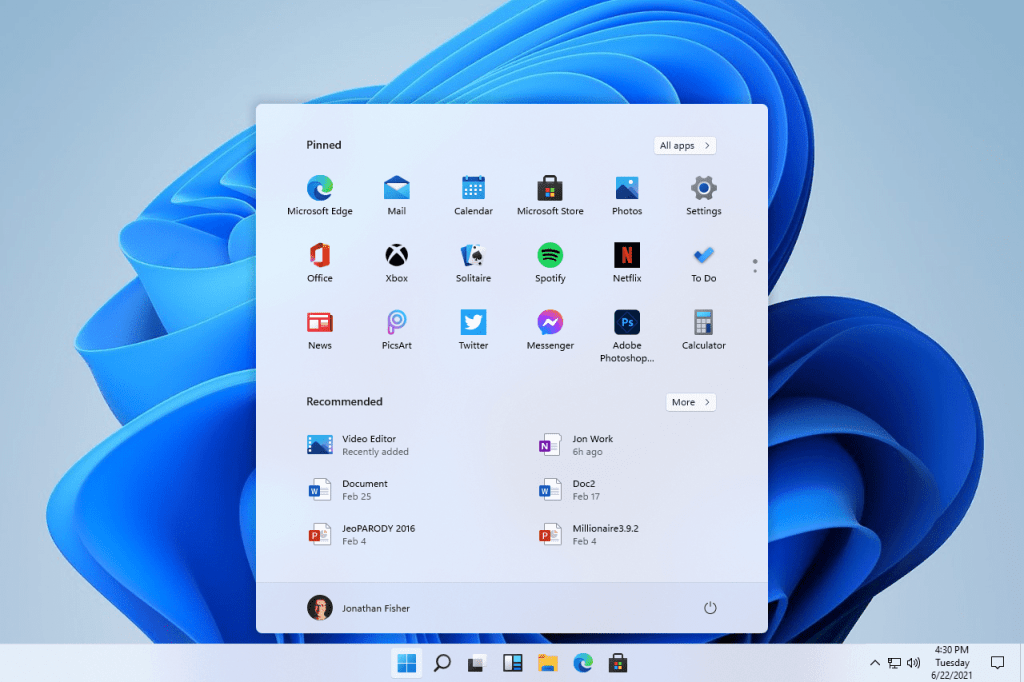
Windows 11 comes packed with new UI changes such as a new start menu, widgets bar, and improved touch support. All of these changes, especially the new start menu, streamline the Windows experience allowing users quicker access to the features they use most. Although many may find the new start menu an unnecessary change, Windows 10’s start menu was quite awful. Windows 10’s start menu had most of its space taken up by Microsoft recommendations and other Microsoft apps which seldom were helpful. Additionally, the start menu on Windows 10 provided a long scrollbar of apps that only took up a little bit of space. Windows 11’s start menu, on the other hand, puts apps and recent documents front and center, allowing users to access apps and documents much faster. Other UI changes have less obvious functions for the user, but could be quite beneficial in some circumstances (like widgets on touch devices). Overall, Windows 11’s UI changes are almost universally positive even though many of them only affect some users.
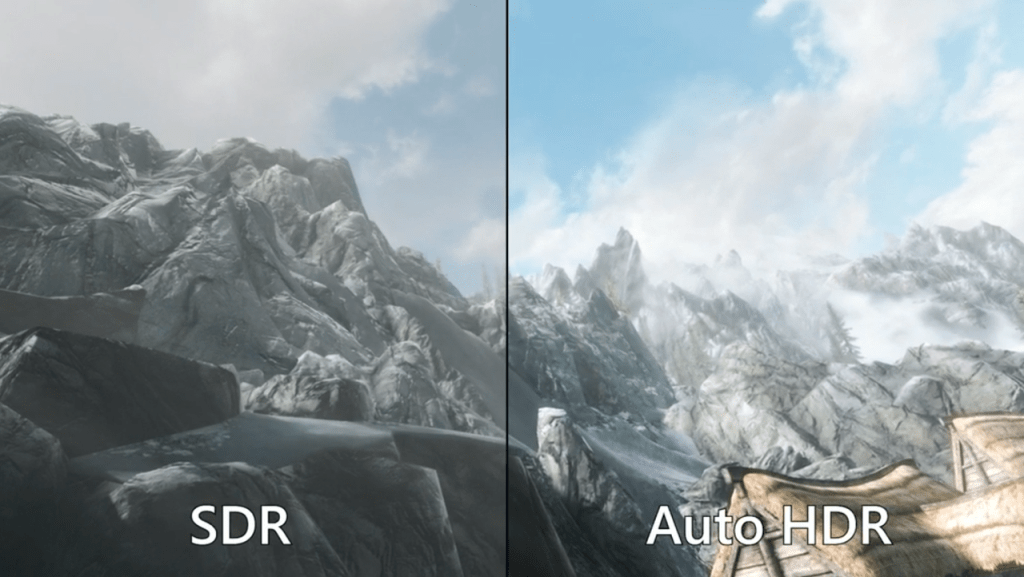
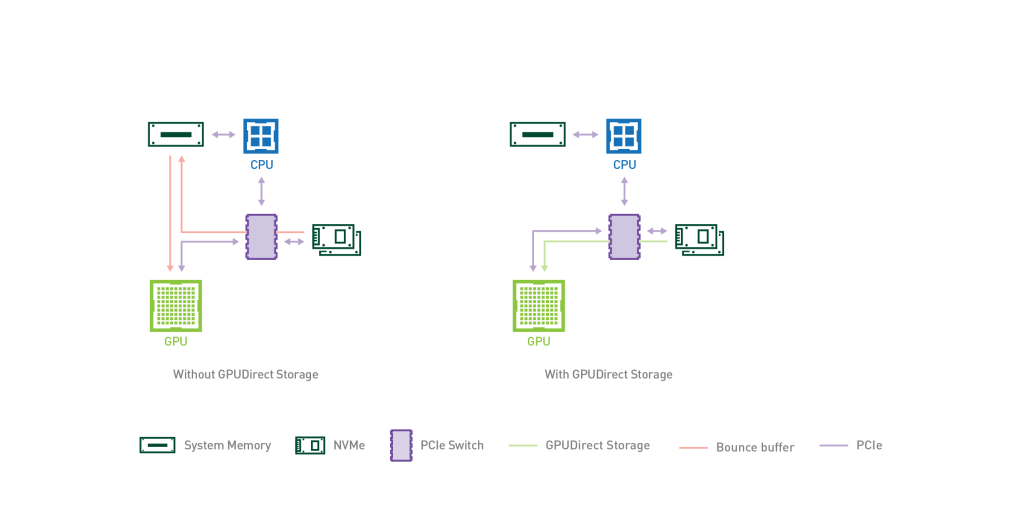
In addition to the UI overhaul of the update, Windows 11 included some major performance improvements under the hood. Microsoft is integrating many of the breakthrough features of its latest generation Xbox into Windows 11, further merging Microsoft’s two major gaming platforms. The first feature ported from the latest Xbox consoles to Windows 11 is called Auto HDR, a feature that “allows SDR (standard dynamic range) games to run with HDR improvements on displays that support it.” This feature is a very welcome addition to Windows 11 as it replaces the often inconsistent implementation of HDR on Windows 10. While many recommended that HDR should natively be turned off in Windows 10, Auto HDR should make HDR mode a good choice for many users on Windows 11. Microsoft is also bringing over a feature which allows a PC’s graphics card to directly access the system’s NVMe SSD called direct storage. This should drastically cut down on GPU based loading times because data will no longer have to waste time being processed by the CPU before being rendered by the GPU. Along with these changes comes DirectX12 Ultimate which supports some of the latest breakthroughs in consumer graphics like ray tracing at a software level, allowing for developers to more easily implement cutting edge visual technology into their games.
Although Windows 11 is not the major update that Windows 10 was, it packs a lot a key improvements in design and under the hood. Despite the fact that Windows 11 is just marketing for what is basically Windows 10.5, the update will provide major benefits to all users at no additional cost. Therefore, Windows 11 will prove to be a good update for its users even though many of its changes are smaller tweaks rather than monumental overhauls.
Sources:
 The Overclock